
Reviewed by Alan Ricotta, Ricotta Heating & Air, Hillsboro, MOUpdated
Save $65–$95 on Cooling: Thermostat Settings for St. Louis Homes
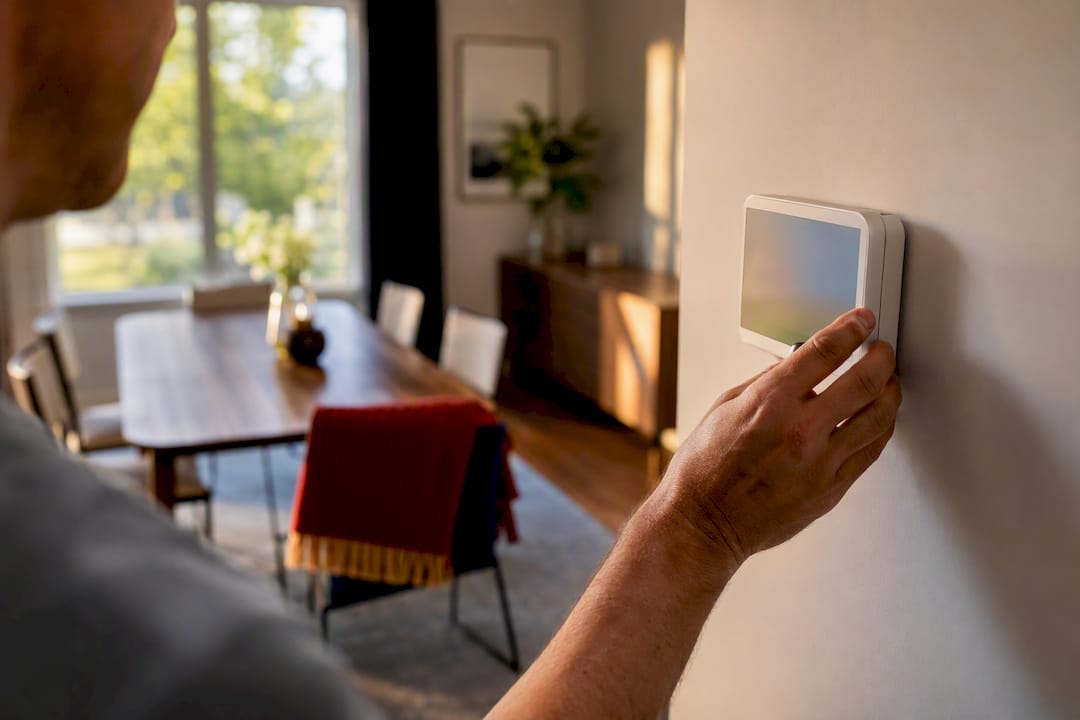
The best thermostat settings for summer follow a tiered schedule: about 78°F when you’re home and awake, several degrees higher when you’re away, and a few degrees cooler at night with a ceiling fan running. That’s the DOE and ENERGY STAR baseline. Just don’t push the away setting so high in humid weather that you invite mold. Humidity control, not just temperature, decides how far you can safely stretch that setback.
TL;DR:
- Setting the thermostat to 78°F when home and awake balances comfort and energy savings, with gradual adjustments based on your comfort level.
- Avoid setting the away temperature too high in humid climates, as it can lead to mold growth by allowing moisture buildup in walls and furniture.
- Using ceiling fans in occupied rooms and setting blades to rotate counterclockwise can make it feel 3°F to 4°F cooler, reducing cooling costs.
- Pre-cooling the house before peak rate hours and maintaining a high but safe setpoint during absences prevents mold while saving energy.
- Regular maintenance like filter replacement and avoiding common sensor placement errors are crucial, as thermostat issues are often caused by neglect or poor system calibration.
Table of Contents
- What Should You Set Your Thermostat to This Summer?
- How Humidity and Fans Change the Math
- Building a Smart Schedule Around Peak Hours
- What a One-Degree Change Actually Saves You
- When the Thermostat Isn’t the Problem
- What We See on Service Calls Every Summer
- Get Your Thermostat and AC Ready for Summer
- Sources
What Should You Set Your Thermostat to This Summer?
Think of your thermostat schedule the way you’d think of a work shift: different settings for different jobs, not one number stuck on the wall all season. Here’s a schedule you can copy straight into a programmable or smart thermostat.
When you’re home and awake: Start at 78°F, the benchmark ENERGY STAR and the DOE point to for balancing comfort with a reasonable cooling bill. If that feels too warm, don’t yank it down to 72°F overnight. Adjust one degree at a time, give it a week, and let your body acclimate. Most households land somewhere between 75°F and 78°F once they’ve made that adjustment gradually.
When you’re away: Raise the setpoint several degrees above your daytime comfort level. If you’re comfortable at 78°F, that means letting the house drift to 85°F to 88°F while you’re at work. In St. Louis summers, where humidity climbs fast, cap it closer to 85°F. Going higher lets moisture build up in the walls and furniture faster than the AC can pull it back out once you’re home.
When you’re asleep: The Sleep Foundation puts ideal sleep temperature at 60°F to 67°F, cooler than most people run their daytime setpoint. You don’t need to chase that whole range with the compressor. Drop the thermostat two or three degrees from your daytime setting and pair it with a ceiling fan on low. The moving air does a lot of the work the compressor would otherwise have to do.
When you’re on vacation: Set the thermostat to a high setpoint rather than shutting the system off entirely. This matters more than most homeowners realize:
- A fully “Off” AC in a humid climate lets indoor humidity creep past the point where mold starts colonizing drywall and carpet padding.
- A system left running occasionally, even at a high setpoint, keeps pulling moisture out of the air the whole time you’re gone.
- Coming home to a musty smell after a week away almost always traces back to this exact mistake.
How Humidity and Fans Change the Math
Temperature alone doesn’t tell you how comfortable a room feels, and it doesn’t tell you how safe your setpoint is either. Relative humidity does most of that work.
That’s why a “dry” 78°F in Arizona feels nothing like a “humid” 78°F in St. Louis during a July heat wave.
Ceiling fans change the equation too. Moving air creates a wind-chill effect that can make a room feel 3°F to 4°F cooler than the thermometer says, letting you raise the thermostat without losing comfort. Two rules make this work:
- Run fans only in rooms you’re actually occupying. A fan spinning in an empty bedroom cools nobody and just adds a few watts to your bill.
- Set blades to rotate counterclockwise in summer, which pushes air straight down instead of pulling it up along the walls.
Pro Tip: If a room still feels sticky with the fan on and the AC running, check the humidity before you touch the thermostat again. Cooling drier air is always cheaper than cooling damp air.
Building a Smart Schedule Around Peak Hours
A tiered schedule works best when it’s built around your actual day, not a generic template. Most households do well with four setpoint periods:
- Wake (6 to 8 a.m.): Ease from your sleep setting back up to your daytime comfort point.
- Day/away (8 a.m. to 4 p.m.): Setback of 7 to 10°F if the house is empty.
- Pre-cool and evening (4 to 9 p.m.): This is where real savings happen.
- Sleep (9 p.m. to 6 a.m.): Drop two to three degrees, fan assisted.
Utilities and HVAC experts increasingly recommend pre-cooling ahead of peak rate windows, typically 3 to 7 p.m. Bring the house down to 74°F or 75°F before that window opens, then let the temperature drift upward a few degrees during peak hours instead of fighting the compressor against the hottest, most expensive part of the day.
A few settings do most of the heavy lifting here:
- Use geofencing on a smart thermostat so setbacks happen automatically when your phone leaves the house, no manual adjustment required.
- Keep the fan setting on Auto, not On. Running the fan constantly recirculates moisture off the cooling coil back into your home, undoing the dehumidifying work the AC just did.
- Check whether your utility offers a time-of-use rate or a rebate tied to enrolled smart thermostats. Many do.
What a One-Degree Change Actually Saves You
The rule of thumb: each degree you raise the thermostat above 72°F saves roughly 2% to 3% on cooling costs, though the Department of Energy is careful to note this varies by climate, insulation, and how efficient your system already is.
Here’s what that looks like in dollars. Multiply that across a four month cooling season and you’re looking at $65 to $95 saved, just from schedule discipline.
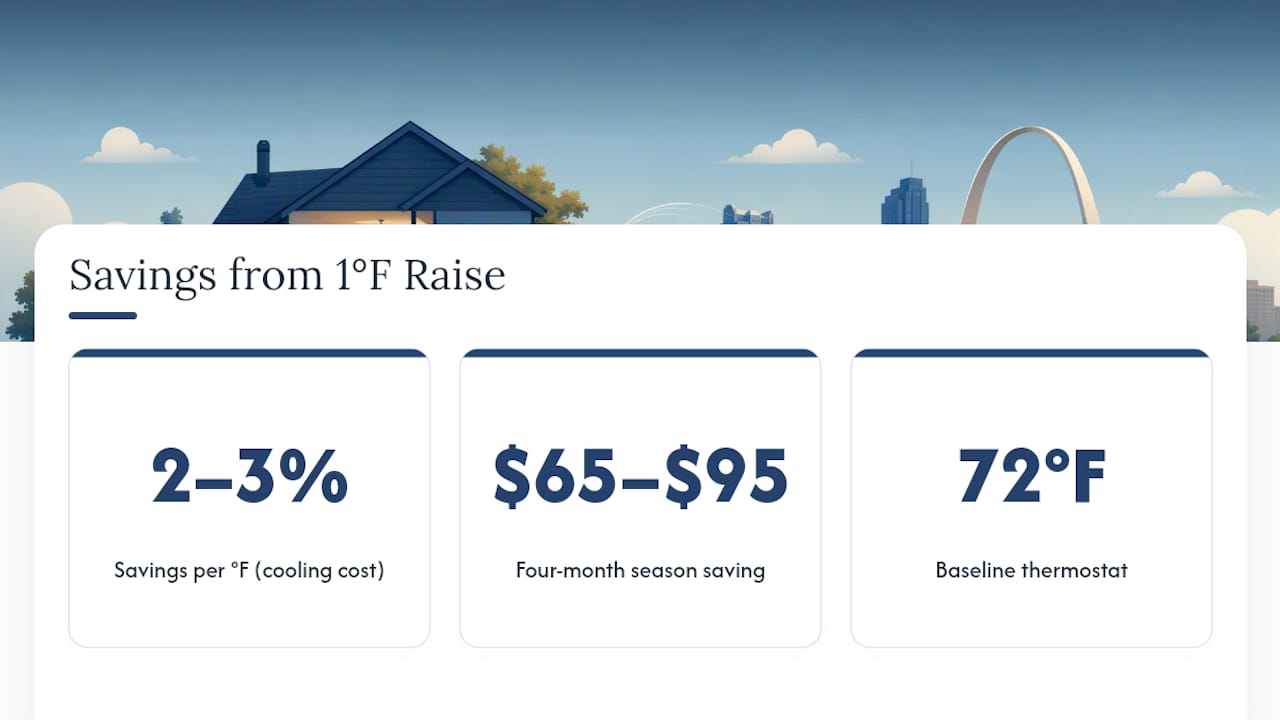
That estimate assumes a reasonably efficient system in a reasonably well insulated house.
When the Thermostat Isn’t the Problem
Sometimes a setpoint that “won’t hold” has nothing to do with the number you punched in. Before you call anyone, run through a few checks that take five minutes:
- Swap the thermostat batteries if the display looks dim or unresponsive.
- Pull the air filter and hold it up to a light. If you can’t see light through it, replace it.
- Confirm the fan setting is on Auto and the system mode is set to Cool, not just Fan.
- Walk outside and clear leaves, grass clippings, or mulch away from the condenser unit.
- Check the breaker panel if the system isn’t responding at all.
If you’ve done all that and the house still won’t reach setpoint, or the system is short cycling, running loud, icing up, or leaving indoor humidity high no matter what you set, that’s an equipment issue, not a settings issue. A thermostat that won’t hold calibration, or a house where upstairs stays hot while downstairs feels fine, usually points to duct balance or refrigerant problems a technician needs to diagnose directly.
Pro Tip: If your thermostat screen has gone completely blank, don’t assume the whole unit is dead. That’s often a simple power or wiring fix rather than a replacement job.
What We See on Service Calls Every Summer
Most of the thermostat complaints we run into aren’t really thermostat problems. They’re a fan switch left on “On” instead of “Auto,” a filter that hasn’t been changed since spring, or a thermostat mounted right next to a lamp or a sunny window, all of which trick the sensor into reading the room wrong. Regular maintenance, coil cleaning, calibration checks, refrigerant levels, catches these small issues before they turn into a July breakdown. After 50 years serving St. Louis and Jefferson County, and with more than 150 five star Google reviews behind us, we’ve learned that the setpoint number matters less than the system’s ability to actually reach it.
— Alan
Get Your Thermostat and AC Ready for Summer
Ricottaheatingandair is the direct, no-upsell alternative to guessing your way through a summer of high bills and a house that never quite cools right. If your thermostat won’t hold a setpoint, your system runs constantly without catching up, or you’re ready to move to a smart thermostat with real geofencing, our technicians diagnose the actual cause instead of just recommending a new unit.

Our services cover exactly what this article walks through: thermostat repair and replacement, full AC tune-ups, dehumidifier installation, and emergency repairs when a system fails mid heat wave. Every visit starts with transparent diagnostics, no pressure to buy more than you need. If your cooling season has been a fight against your own thermostat, schedule a maintenance check or thermostat setup and let us find out what’s actually going on before the next heat wave hits.
Sources
- Heating and cooling guide | ENERGY STAR
- What’s the best temperature to set your thermostat during the summer? | USA Today
- Best temperature for sleep | Sleep Foundation