
Reviewed by Alan Ricotta, Ricotta Heating & Air, Hillsboro, MOUpdated
Thermostat Blank Screen: Quick Fixes for Homeowners
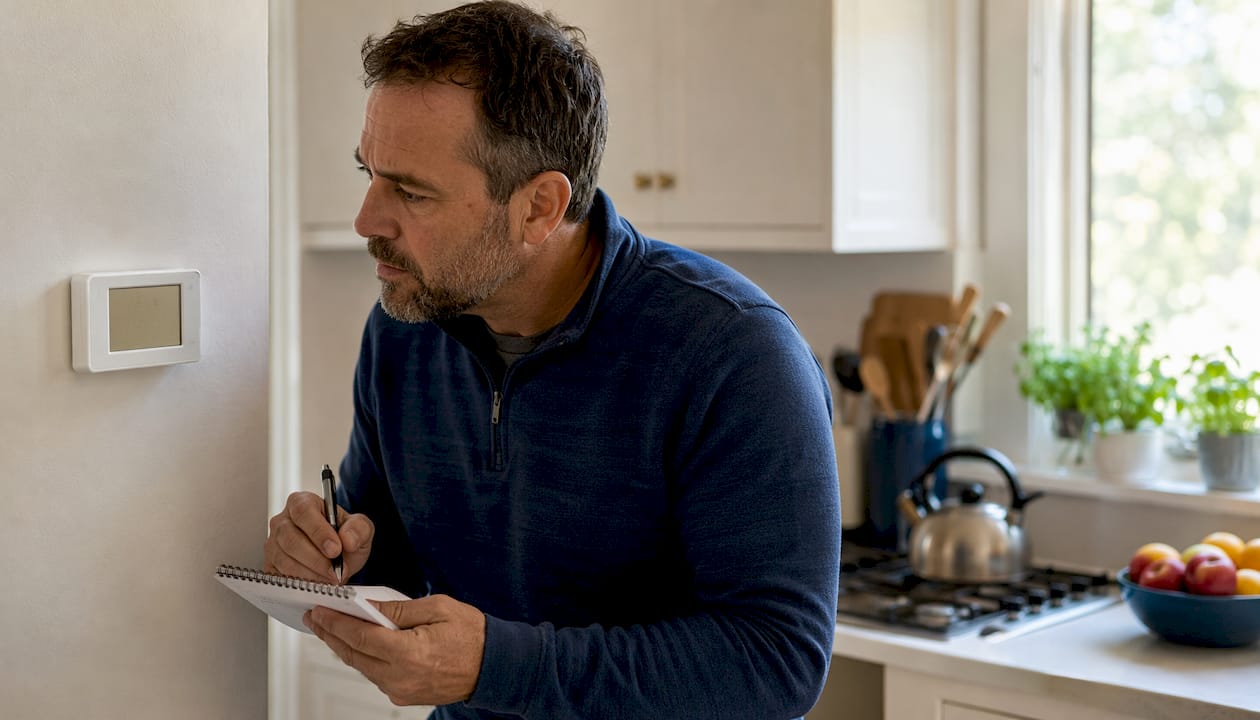
A thermostat blank screen almost always means the device has lost power, either from dead batteries, a tripped circuit breaker, or a break in the low-voltage supply between your HVAC system and the thermostat. According to troubleshooting guides, batteries, breakers, fuses, and a triggered float switch resolve roughly 70–80% of successful DIY blank-screen thermostat fixes. The good news: most homeowners solve this in under ten minutes without touching a single wire.
Here is what to check right now:
- Tap the display. Some models, including Google Nest, dim the screen when inactive. A tap or wave of your hand may bring it right back.
- Replace the batteries. Honeywell, Ecobee, and many other brands list dead batteries as the single most common cause of a blank display.
- Check the HVAC circuit breaker. Look for a breaker sitting between ON and OFF in your electrical panel, labeled “furnace,” “air handler,” or “HVAC.”
If those three steps do not restore the display, keep reading. The sections below walk you through every likely cause, from the simplest to the most complex, and tell you exactly when to stop and call Ricottaheatingandair instead.
Table of Contents
- Why is your thermostat screen blank? Start here
- How to replace thermostat batteries and confirm they were the problem
- How HVAC power reaches your thermostat, and what can cut it off
- How to check thermostat wiring and reseat the base safely
- Could a clogged drain line be causing your blank screen?
- Smart thermostat blank screen: power-cycling, C-wire issues, and manufacturer guidance
- When the thermostat itself has failed, and what replacement costs look like
- When should you call an HVAC technician instead of troubleshooting yourself?
- Key Takeaways
- What 50 years of local HVAC calls taught us about blank thermostat screens
- Ricottaheatingandair can handle the diagnosis for you
- Useful sources for thermostat troubleshooting
Why is your thermostat screen blank? Start here
Before you open any panels or touch any wiring, run through this three-step checklist. These checks are safe, fast, and free.
- Replace the batteries (if your model uses them). This is the single most common fix, even if the batteries are only a few months old. Swap them out. Alkaline batteries from a fresh pack are the right choice.
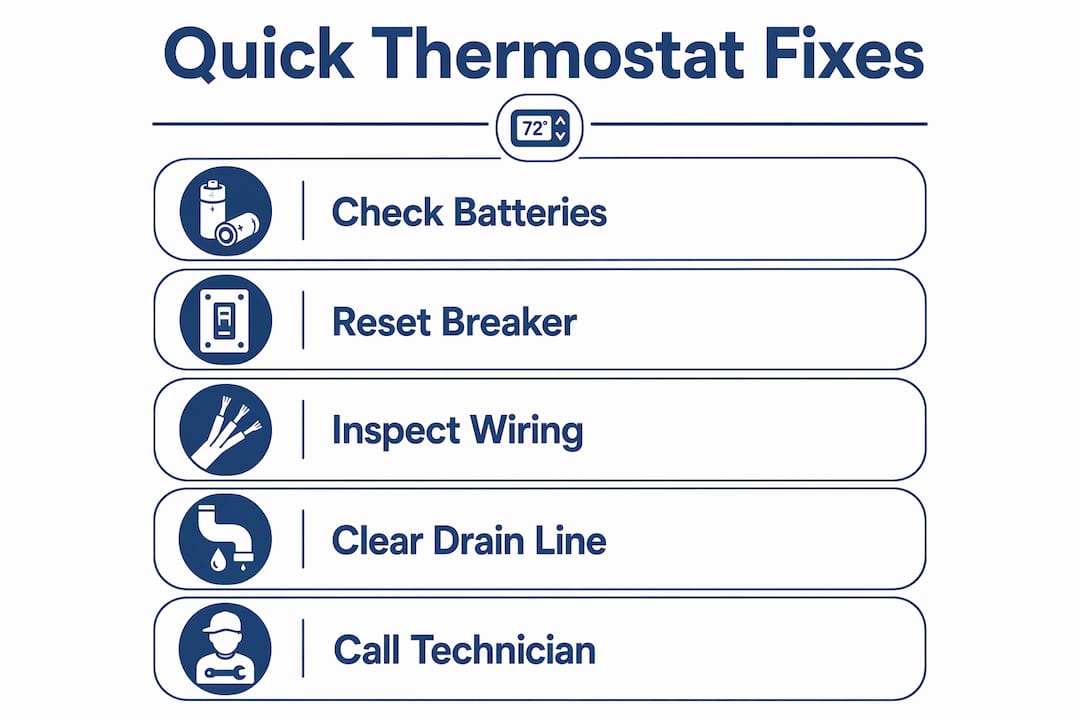
- Check the HVAC circuit breaker. Go to your electrical panel and look for any breaker labeled for your heating or cooling system. If it is tripped, it will sit in the middle position. Flip it fully OFF, then back ON.
- Confirm the thermostat face is seated on its base. Press the thermostat firmly against the wall plate. A loose connection between the unit and its base can cut power entirely, even on hardwired models.
IMPORTANT: Do not open furnace panels, touch wiring, or probe terminals until you have turned off the breaker. Low-voltage wiring (typically 24V AC) is unlikely to shock you seriously, but a short circuit can blow the control-board fuse or damage the HVAC control board instantly.
When a quick fix is enough: If the display returns after a battery swap or breaker reset and stays on, you are done. Monitor it for a day to confirm.
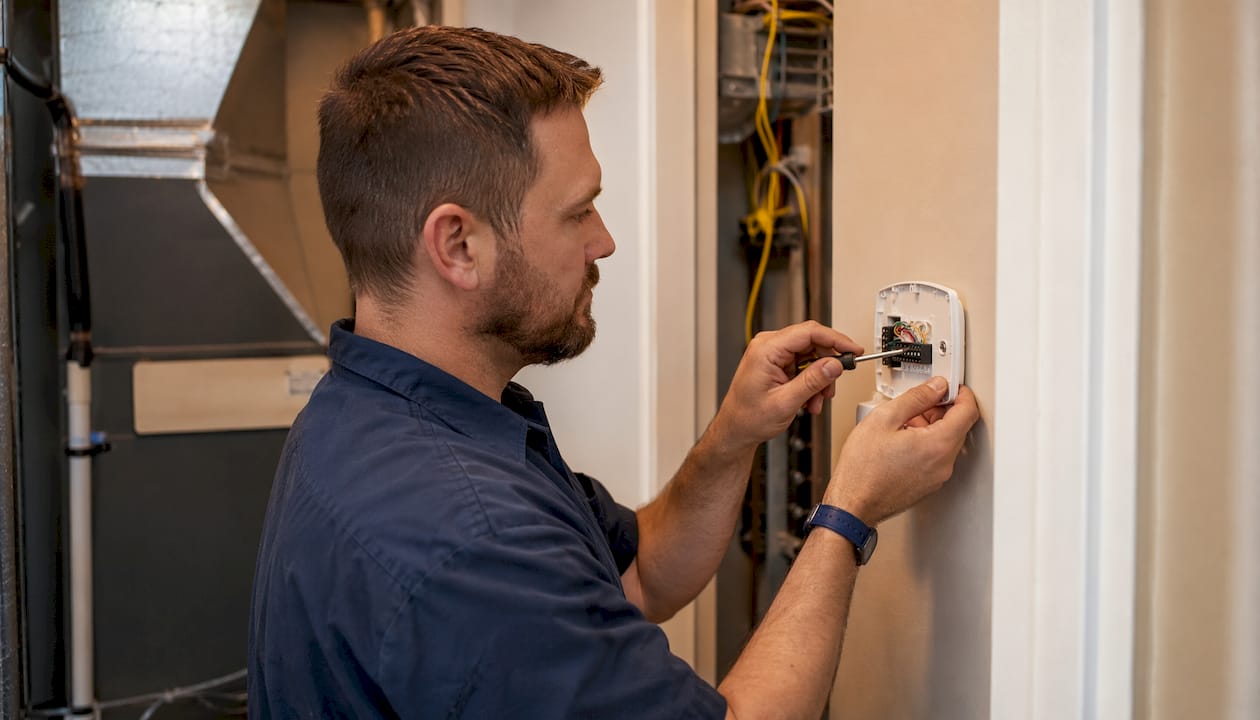
When to stop and call a pro: If the breaker trips again within minutes of resetting, if you see scorch marks or smell burning near the thermostat or furnace, or if there is standing water near the indoor unit, stop immediately. Those are signs of a deeper electrical fault or a safety shutdown that needs a trained technician.
Pro Tip: Before you do anything else, tap the thermostat screen or wave your hand in front of it. Many smart thermostats enter a sleep mode that looks identical to a dead display. If the screen lights up, there is nothing wrong.
How to replace thermostat batteries and confirm they were the problem
Dead batteries are the most frequent cause of a blank thermostat display, and replacing them takes about two minutes. Here is how to do it correctly.
- Turn off the HVAC system at the thermostat (if you can) or at the breaker, just as a precaution.
- Gently pull the thermostat body off its wall plate. Most snap off with a slight upward tug or a press-and-pull motion. No tools needed.
- Locate the battery compartment. It is usually on the back or side of the unit. Most models take AA or AAA alkaline batteries; some older round-dial models use a coin-cell (CR2032 or similar).
- Inspect the terminals for corrosion. White or greenish buildup on the contacts means the old batteries leaked. Clean the terminals gently with a dry cotton swab or a small amount of rubbing alcohol before inserting new batteries.
- Insert fresh alkaline batteries in the correct orientation. Do not mix old and new, and do not mix brands.
- Reseat the thermostat on its wall plate and press firmly until it clicks.
- Wait 20–30 seconds for the display to power up. If the screen returns and your settings are intact, batteries were the culprit.
If the thermostat powers on but shows a blank or default schedule, it simply lost its memory while the batteries were out. Re-enter your preferred settings or reconnect to your app.
Pro Tip: Even hardwired smart thermostats, including many Ecobee and Honeywell models, use internal batteries or capacitors to keep the display active. If your smart thermostat’s screen is blank and it is hardwired, the internal battery may still be depleted. Some Google Nest models can be charged via USB for 30 minutes to restore the display before you dig into wiring checks.
How HVAC power reaches your thermostat, and what can cut it off
Your thermostat does not run on household 120V power. It runs on 24V AC low-voltage power supplied by a transformer inside your furnace or air handler. That means a problem anywhere along that supply chain, from the main breaker to the transformer to the control board, can leave the thermostat screen dark even if every light in your house is on.
Here is what can interrupt that supply:
- A tripped circuit breaker. Your HVAC system has a dedicated breaker (sometimes two: one for the air handler, one for the condenser). A power surge, a short, or an overloaded circuit can trip it.
- The furnace service switch. There is usually a standard light-switch-style disconnect on the wall near the furnace or air handler. If someone bumped it off, the whole system loses power.
- A blown low-voltage fuse on the control board. Many HVAC systems use a small 3-amp or 5-amp fuse on the furnace or air handler control board. When this fuse blows, it cuts power to the thermostat even if the main breaker is perfectly fine. It looks like a small automotive-style fuse and is easy to miss.
Safe steps to check and reset the breaker:
- Go to your electrical panel and find the breaker labeled for your furnace, air handler, or HVAC.
- If it is tripped (sitting in the middle), flip it fully to OFF, then firmly to ON.
- Wait 30 seconds and check the thermostat display.
IMPORTANT: If the breaker trips again after you reset it, do not reset it a third time. Repeated resets on a breaker that keeps tripping can damage the HVAC control board. Isolate the system and call a technician.
To inspect the low-voltage fuse:
- Turn off power at the breaker before opening any furnace panels.
- Open the furnace or air handler access panel (it usually lifts or slides off).
- Locate the control board and look for a small, rectangular automotive-style fuse, often in a labeled holder.
- Pull it out and hold it up to a light. A blown fuse will have a broken wire inside or look darkened.
- Replace it with a fuse of the correct amperage rating. Never substitute a higher-rated fuse.
If the new fuse blows again within minutes, there is a short circuit somewhere in the wiring. Stop and call a pro.
How to check thermostat wiring and reseat the base safely
Loose or poorly seated wiring is a surprisingly common cause of thermostat display issues, especially after any recent HVAC work or in older homes where wires have had years to loosen. According to field guidance from PickComfort, removing the thermostat from its backplate to confirm wire seating is one of the most reliable diagnostic steps a homeowner can take.
What to look for:
- Wires that have pulled out of their terminals or are only barely inserted
- Bare copper strands touching an adjacent terminal (this causes a short and blows the fuse)
- Corrosion or greenish buildup on the wire ends or terminal screws
- Pinched wires caught between the thermostat body and the wall plate
- Any wire with burned or melted insulation
Safe removal and inspection steps:
- Turn off the HVAC breaker first.
- Pull the thermostat body off its wall plate.
- Look at each wire where it enters a terminal. Each should be fully inserted with no bare copper showing outside the terminal.
- If a wire has slipped out, push it firmly back into the correct terminal (match the label on the wire to the label on the terminal, such as R, C, G, Y, W).
- Reseat the thermostat body on the base and press firmly until it clicks.
- Restore power at the breaker and check the display.
Stop and call a pro if: you see burned insulation, the fuse blows again after replacement, or you are not confident about which wire goes where. Misconnecting thermostat wires will not electrocute you, but it can damage the control board or the transformer, turning a $10 fuse fix into a $200+ repair.
Pro Tip: A hardwired smart thermostat that appears completely dead may simply have lost its charging circuit because the pins on the back of the unit are not making full contact with the base. Reseating the thermostat firmly on its base can restore the C-wire connection and allow the internal battery to begin charging again, no wiring changes needed.
Could a clogged drain line be causing your blank screen?
Yes, and this one surprises a lot of homeowners. During cooling season, your air conditioner pulls moisture out of the air and drains it through a condensate line. If that line clogs, water backs up into the drain pan. Most systems have a float switch that detects rising water in the pan and intentionally cuts power to the entire HVAC system, including the thermostat, to prevent water damage to your home.
A blank thermostat screen in summer, especially after a stretch of humid weather, is often the float switch doing exactly what it is supposed to do.
Here is how to check and reset it safely:
- Locate your indoor unit (air handler or furnace with the evaporator coil). It is usually in a utility closet, attic, or basement.
- Look at the drain pan beneath the unit. If you see standing water, the float switch has likely triggered.
- Find the float switch. It is a small device, often white or black, clipped to the drain line or sitting in the pan. Some have a visible button or lever.
- Clear the drain line. Pour one cup of white vinegar into the condensate drain access port (usually a capped PVC pipe near the indoor unit). Follow with a flush of water. This dissolves most algae and debris clogs.
- Wait a few minutes for the water level in the pan to drop, then check whether the float switch has reset on its own. Many reset automatically once the water clears.
- Restore power at the breaker and check the thermostat display.
IMPORTANT: If you see standing water near electrical components, corrosion on wiring, or any sign that water has reached the control board, do not restore power. Call a technician. Water and electrical components are a serious hazard.
Smart thermostat blank screen: power-cycling, C-wire issues, and manufacturer guidance
Smart thermostats like Google Nest, Ecobee, and Honeywell Home models add one more layer of complexity: they can go blank from a software freeze, a failed firmware update, or a C-wire that is not delivering steady power. The fix is usually a power cycle, not a factory reset.
Why the C-wire matters so much: Smart thermostats need continuous low-voltage power to run their displays, Wi-Fi radios, and internal processors. They get that power through the common wire (C-wire), which completes the 24V AC circuit. Without a properly connected C-wire, the thermostat relies on internal batteries or a capacitor that charges by briefly “stealing” power from other wires. That charging method is less reliable, and when the internal charge drops too low, the device enters a protection mode and the screen goes dark.
Steps to power-cycle a smart thermostat:
- Go to your electrical panel and turn the HVAC breaker off.
- Wait 20–30 seconds. This is long enough to fully discharge the thermostat’s capacitors and clear a software freeze.
- Turn the breaker back on.
- Wait up to 60 seconds for the thermostat to reboot and the display to return.
That single step resolves most firmware-freeze blank screens on Nest, Ecobee, and Honeywell Home devices.
If the screen stays dark after a power cycle:
- Check that the thermostat body is fully seated on its base (C-wire pin contact issue, as described above).
- For Google Nest models with a USB port, charge the unit for 30 minutes with a standard USB cable before attempting anything else.
- Check for a firmware update in progress. A firmware update can blank the screen for 10–30 minutes. Cutting power mid-update can corrupt the device. If the thermostat was working recently and the screen went dark without warning, wait 30 minutes before assuming it has failed.
- Consult the manufacturer’s support page for your specific model before attempting a factory reset. Ecobee, Google Nest, and Honeywell Home all publish model-specific reset procedures.
Pro Tip: Avoid a factory reset as your first move. A factory reset on a smart thermostat erases all your schedules, Wi-Fi credentials, and preferences. Power-cycle first. If you do need to factory reset, photograph your current settings on your phone before you begin.
When the thermostat itself has failed, and what replacement costs look like
Sometimes the thermostat is simply at the end of its life. Most digital thermostats last 10–15 years, and age-related wear, dust accumulation, and humidity exposure (especially common in St. Louis and Jefferson County homes) can degrade the internal electronics over time.
Signs the thermostat itself may have failed:
- The unit is 10 or more years old and has been blanking intermittently before going fully dark
- Buttons are unresponsive even after a successful power cycle
- Batteries drain unusually fast (within days of a fresh set)
- The display returns briefly but goes blank again without explanation
- Environmental stressors like direct sunlight, high humidity, or dust buildup have been present near the unit
Replacement options:
- Basic non-programmable digital thermostat: Straightforward swap, lowest cost, works with most single-stage systems. DIY-friendly if the wiring is standard.
- Programmable thermostat: Adds scheduling capability. Still relatively simple to install on standard two-wire or five-wire systems.
- Smart thermostat (Nest, Ecobee, Honeywell Home): Best long-term energy savings, but requires a C-wire or an adapter kit. Professional installation is worth considering if your wiring is nonstandard or if you have a heat pump, multi-stage system, or zoned HVAC.
Rough cost expectations: A basic replacement thermostat runs $20–$60 for the part alone. Smart thermostats typically range from lower to mid hundreds of dollars. Professional installation labor in the St. Louis area generally adds to the total, and costs rise further if the technician needs to run a C-wire, replace the transformer, or diagnose a control-board issue alongside the thermostat swap. For thermostat repair and replacement in Jefferson County, Ricottaheatingandair provides honest upfront pricing before any work begins.
When should you call an HVAC technician instead of troubleshooting yourself?
Most blank-screen problems are solvable with the steps above. But some situations call for a professional, and recognizing them early saves you from a bigger repair bill.
Call a technician if any of these apply:
- The circuit breaker trips again within minutes of resetting
- A new control-board fuse blows immediately after replacement
- You see or smell burning near the thermostat, furnace, or air handler
- There is standing water near the indoor unit or signs of water damage on wiring
- Wiring appears frayed, melted, or burned
- The system is a heat pump, multi-stage unit, or zoned system and you are unsure of the wiring
What to tell the technician when you call:
- Describe the exact symptom: “The thermostat screen went completely blank on [date].”
- List the steps you have already taken: batteries replaced, breaker reset, fuse inspected, float switch checked.
- Note any error codes or LED indicator lights you saw on the thermostat or furnace control board before the screen went dark.
- Mention any recent HVAC work, power outages, or unusual weather that preceded the problem.
What a technician will typically check first:
- 24V transformer output with a multimeter (confirms whether the transformer is supplying power)
- Control-board fuse continuity
- Wiring continuity from the thermostat terminals to the control board
- Float switch status and condensate drain condition
- Thermostat seating and pin contact on the base
Diagnosis visits in the St. Louis and Jefferson County area typically take 30–60 minutes. If you want to know what to expect before the technician arrives, the AC troubleshooting guide for Hillsboro homeowners covers related system-level checks in plain language.
Key Takeaways
Batteries, breakers, fuses, and a triggered float switch resolve roughly 70–80% of thermostat blank screen problems, and all four checks are safe for homeowners to attempt before calling a technician.
| Point | Details |
|---|---|
| Start with batteries | Dead batteries are the most common cause; replace them first, even if they seem recent. |
| Check breakers and fuses | A tripped breaker or blown 3A/5A control-board fuse cuts thermostat power even when the rest of the house has electricity. |
| Float switch and drain | A clogged condensate drain triggers the float switch and intentionally shuts the system down; a vinegar flush often clears it. |
| Smart thermostat power cycle | Turn the HVAC breaker off briefly before attempting a factory reset, which erases all schedules and settings. |
| Ricottaheatingandair | For diagnostics, fuse and transformer testing, or full thermostat replacement in St. Louis and Jefferson County, Ricottaheatingandair provides honest, no-pressure service. |
What 50 years of local HVAC calls taught us about blank thermostat screens
Here is an opinion that might surprise you: the homeowners who call us in a panic about a blank thermostat are almost never dealing with a catastrophic failure. In the vast majority of cases, the system shut itself off on purpose. That is worth sitting with for a moment. Your HVAC system is designed to protect itself and your home, and a blank screen is often the first signal that something upstream went wrong, not a sign that the thermostat itself is broken.
What I see most often in Jefferson County and St. Louis County homes is age-related wear compounding small problems. A thermostat that has been running for 12 years in a basement with fluctuating humidity, a condensate drain that has never been flushed, and a control-board fuse that has been quietly doing its job for a decade. None of those things fail dramatically. They just quietly degrade until one August afternoon the screen goes dark.
The troubleshooting sequence in this guide reflects what actually works: start with the free checks (batteries, breaker, sleep mode), move to the slightly more involved ones (fuse, float switch, wiring), and stop before you get into transformer or control-board territory. That boundary exists for a reason. A $10 fuse is a fine homeowner repair. A shorted transformer that takes out the control board is a $300–$500 repair that a misconnected wire could have caused. Knowing where to stop is as valuable as knowing where to start.
One more thing: dust and humidity are genuinely underrated causes of thermostat display problems, particularly in older St. Louis-area homes. Keeping the area around your thermostat clean and away from direct sunlight adds years to its life. A planned maintenance agreement that includes annual system checks catches these small issues before they become a blank screen on the coldest night of the year.
Ricottaheatingandair can handle the diagnosis for you
When you have worked through the battery, breaker, and fuse checks and the screen is still dark, that is exactly the situation Ricottaheatingandair was built for. As a family-owned HVAC service with 50 years of experience in St. Louis and Jefferson County, the team handles the full diagnostic chain: 24V transformer output testing, control-board fuse inspection, wiring continuity checks, float switch evaluation, and complete thermostat repair or replacement, including smart thermostat setup for Honeywell, Ecobee, and Nest models.

There is no upsell pressure and no guesswork. You get a straight answer about what failed and what it will cost to fix it before any work begins. Most diagnostic visits in the area take under an hour, and Ricottaheatingandair’s 150+ five-star Google reviews reflect what homeowners consistently say: honest, prompt, and worth every dollar. Whether you need a thermostat repair or replacement or a full system check, schedule your visit today and get your home’s comfort back on track.
Useful sources for thermostat troubleshooting
These manufacturer support pages and HVAC references are worth bookmarking, especially if you need model-specific reset instructions before attempting a factory reset.
- Google Nest support: thermostat won’t turn on — Google’s official step-by-step guide for Nest thermostats that won’t power on, including C-wire and charging troubleshooting. Use this before attempting a factory reset on any Nest model.
- Trane: thermostat not working — Trane’s troubleshooting notes cover breaker safety, when to stop resetting a tripped breaker, and what technicians check first. Useful for understanding the system-level perspective.
- HVAC.com: thermostat blank screen — Practical guidance on float switches and condensate drain issues as a cause of blank displays, with clear explanations of how safety shutoffs work.
- PickComfort: digital thermostat display not working — Covers wiring inspection, terminal seating, and environmental factors (dust, humidity, sunlight) that contribute to display failure over time.
- U.S. Department of Energy: programmable thermostats — Background on how programmable and smart thermostats work, useful for understanding power requirements and energy-saving settings.
Always consult your specific model’s manual before performing a factory reset. Honeywell Home, Ecobee, and Google Nest each use different reset procedures, and using the wrong method can erase settings or, in rare cases, require a full reinstall through the manufacturer’s app.